Getting Started
Set up your business warranty system in just a few clicks.
What is WiNG Warranty System?

What is WiNG Warranty System?

A cloud-based warranty management platform that helps businesses easily collect and manage product registrations. WiNG allows you to customize registration forms, generate QR Codes for your products, and manage customer data—all in one place.
4 Easy Steps to Get Started

Whether you're just starting out or switching from paper forms, these steps will help you get set up in minutes.
Step Image
Step
1
Create Your Account
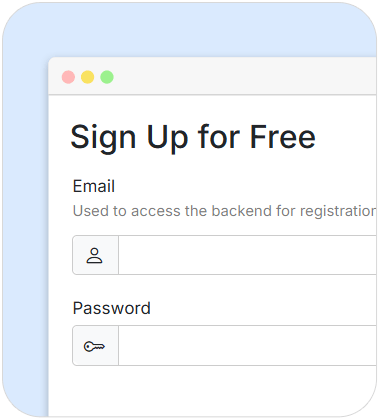
Sign up and log in to access your store’s backend system.
Get Started
Step
2
Set Up Your Warranty Form
Go to the Settings menu, edit color theme and add the fields you want. Test your form to make sure everything works, then click Publish to make it live.
Learn more
Step
3
Add Your Products (Available on Paid Plans)
Create product categories and add your items, including details like brand and warranty period.
Step
4
Share the Form with Your Customers
Copy the link to your warranty registration page and share it on your website, social media, or anywhere your customers can access it.
Want to use QR Codes? (Optional)
You can generate QR Codes that either include product info or link to a blank form. Place them on product labels, packaging, or marketing materials.

Make It Yours

Your registration form is ready to use, but customizing a few more elements will make your page more polished, professional, and truly yours.
(Available on Paid Plans)
Customize the Header
The header is the first thing customers see. It’s pre-set by the system, but you can personalize it by adding your store name, uploading a logo or banner image, or even using custom HTML if you're more advanced.
Customize the Footer
The footer comes with basic content, but you can update it to include your contact details, social icons, map links, or links to privacy policies and terms of use. You can use plain text or full HTML.
Edit the Terms of Use
Edit the default terms to match your business operations. These terms usually explain what users agree to when they visit your page and may include policies for returns, disclaimers, and more.
Edit the Privacy Policy
A default privacy policy template is available. Be sure to update it to reflect how your business collects and uses data. You can also explain warranty conditions such as the coverage period and claim process.
Track and Analyze Customer Registrations

Track and Analyze Customer Registrations

As soon as a customer submits a warranty form, the information is available in your backend system. Check the Dashboard for a quick overview, or manage approvals directly in the “Warranty by Register” section.

You can also filter and search through submissions, download data in .xls format, and view detailed reports on registration counts. Visual charts help you spot trends and understand customer behavior at a glance.